
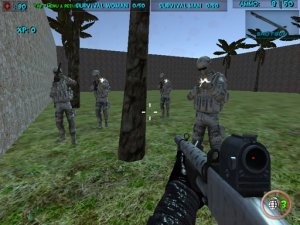
Team Wave Survival Challenge
Team Wave Survival Challenge offers fun cooperative play with customizable blasters and varied modes for all ages.
Geometric Path Navigator is an arcade action game where players guide an arrow through a series of geometric obstacles. The main goal is to move the arrow from the starting point to a portal at the end of each path without touching any walls or barriers. Each tap changes the arrow's altitude, requiring careful timing and quick reactions. The game includes several modes that build on this basic concept, offering different challenges such as fixed courses, survival against closing walls, and distance-based play. Local multiplayer support allows up to four players to compete on the same device, making it a fun choice for group play. The geometric visual style and fast-paced action are designed to test players' reflexes and precision. This game is suitable for players of all ages who enjoy simple yet engaging arcade challenges.
Players control the arrow's vertical position by tapping or clicking. Pressing the mouse button or a key makes the arrow move upward; releasing it lets the arrow descend. The goal is to pass through gaps in the geometric structures and reach the portal at the end of each route. In multiplayer mode, additional players use separate keys to control their own arrows. The game also supports touch controls on mobile devices, allowing players to tap the screen directly. Each mode introduces variations such as moving walls or increasing speed, but the fundamental control method remains the same. The controls are simple to learn but require practice to master, making the game accessible to new players while still offering depth for experienced ones.
Geometric Path Navigator includes multiple game modes, each offering a distinct twist on the core arrow navigation gameplay. Local multiplayer supports up to four players on the same screen, encouraging friendly competition. The game features customization options for the arrow's appearance, allowing players to personalize their experience. Touch controls are available for mobile play, making the game accessible on phones and tablets. The geometric visual style is clean and modern, focusing on clear shapes and vibrant colors. The game is designed to be replayable, with each mode offering a different challenge that keeps the gameplay fresh. The combination of simple controls and varied modes makes it suitable for quick play sessions or longer gaming periods.
Practice is key to mastering the controls and timing. Start with the Classic mode to learn the basic patterns and develop a feel for the arrow's movement. Pay attention to the rhythm of tapping and releasing to maintain a steady altitude. In multiplayer games, focus on your own path rather than being distracted by other players. Try each mode to understand its unique challenges, such as the closing walls or increasing speed. Regular play will improve your reaction time and help you navigate more complex obstacles. Staying calm and focused during fast sections will also help you avoid mistakes.
Team Wave Survival Challenge offers fun cooperative play with customizable blasters and varied modes for all ages.

A fun and addictive music game that lets you play piano tiles to your favorite songs. Great for all ages!
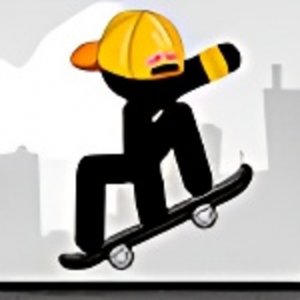
Simple and fun skateboarding game with easy controls and colorful graphics. Great for quick play sessions.
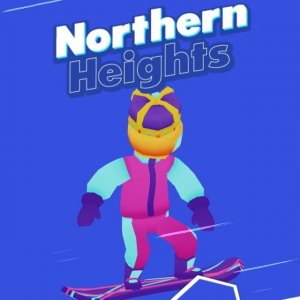
A fun, fast-paced snowboarding game with simple controls and increasing difficulty. Great for quick sessions.
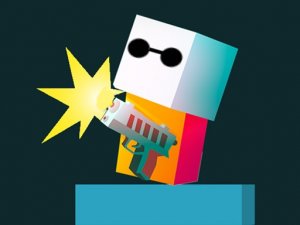
Colorful endless climber with fun upgrades and family-friendly action. Great for all ages.

A nostalgic retro action game for mobile that combines classic characters with simple touch controls. Fun for all ages.
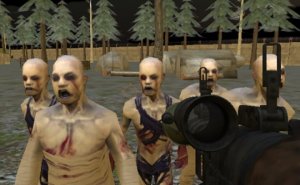
Engaging strategic action with immersive sound and detailed visuals. A rewarding adventure for fans of careful planning.
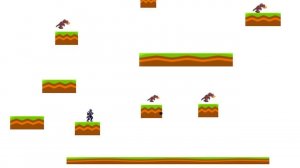
A bright, cheerful game with simple controls and gentle challenges that the whole family can enjoy.